VoiceMaster 4.0 is Here
We've hit a huge milestone - over 650,000 servers are now using VoiceMaster! This update is the biggest one we've ever released, and it's packed with improvements that make the bot faster, more stable, and easier to use.
Since this is a complete rewrite of the bot, we've done our best to test everything thoroughly. But if you run into any bugs or issues, please let us know right away so we can fix them quickly.
This guide will walk you through everything that's new, what's changed, and what you can expect in the future.
Since this is a complete rewrite of the bot, we've done our best to test everything thoroughly. But if you run into any bugs or issues, please let us know right away so we can fix them quickly.
This guide will walk you through everything that's new, what's changed, and what you can expect in the future.
What's New in VoiceMaster 4.0
The biggest changes you'll notice are the new dashboard and improvements to how the bot works. We've rebuilt everything from the ground up to make it better.
Complete Rewrite
We've completely rewritten VoiceMaster from scratch. This gives us:
Better Performance - The bot runs faster and uses less resources
More Stability - Fewer crashes and better error handling
Faster Updates - We can add new features much quicker now
Cleaner Code - Everything is organized better under the hood
Better Performance - The bot runs faster and uses less resources
More Stability - Fewer crashes and better error handling
Faster Updates - We can add new features much quicker now
Cleaner Code - Everything is organized better under the hood
New Dashboard
The dashboard is probably the most noticeable change. It's a web interface that lets you manage your server settings without using Discord commands. Take a look at the different sections of the dashboard to see what you can configure:

Overview of the VoiceMaster dashboard
What You Can Do
- Manage server settings - Configure everything from one place
- Create new setups - Set up voice channel templates easily
- Toggle features - Turn commands and features on or off
- Customize the bot - Change how VoiceMaster looks in your server
- View your profiles - See and edit your channel preferences
- Customize the interface - Toggle buttons and customize text to match your preferences
Three Levels of Control
You now have three different ways to control features:
Per Setup - Turn features on or off for specific voice channel setups
Per Role - Give different roles different permissions
Per Server - Set global settings that apply to everything
This gives you way more flexibility than before. You can fine-tune exactly how VoiceMaster works in your server.
Per Setup - Turn features on or off for specific voice channel setups
Per Role - Give different roles different permissions
Per Server - Set global settings that apply to everything
This gives you way more flexibility than before. You can fine-tune exactly how VoiceMaster works in your server.
User Profiles
Your members can now create profiles for their channels. This means they don't have to manually edit their channel every single time they create one. Once they set up their profile, all their preferences are saved and automatically applied.
Check out the Dashboard Guide to learn more about profiles and how to set them up.
Check out the Dashboard Guide to learn more about profiles and how to set them up.
Bot Customization
You can now customize how VoiceMaster appears in your server. Change the bot's profile picture, banner, name, and bio to match your server's style.
This is a premium feature, and all changes need to be approved by our staff to keep things appropriate. Once approved, you'll get a notification and the changes will go live.
This is a premium feature, and all changes need to be approved by our staff to keep things appropriate. Once approved, you'll get a notification and the changes will go live.
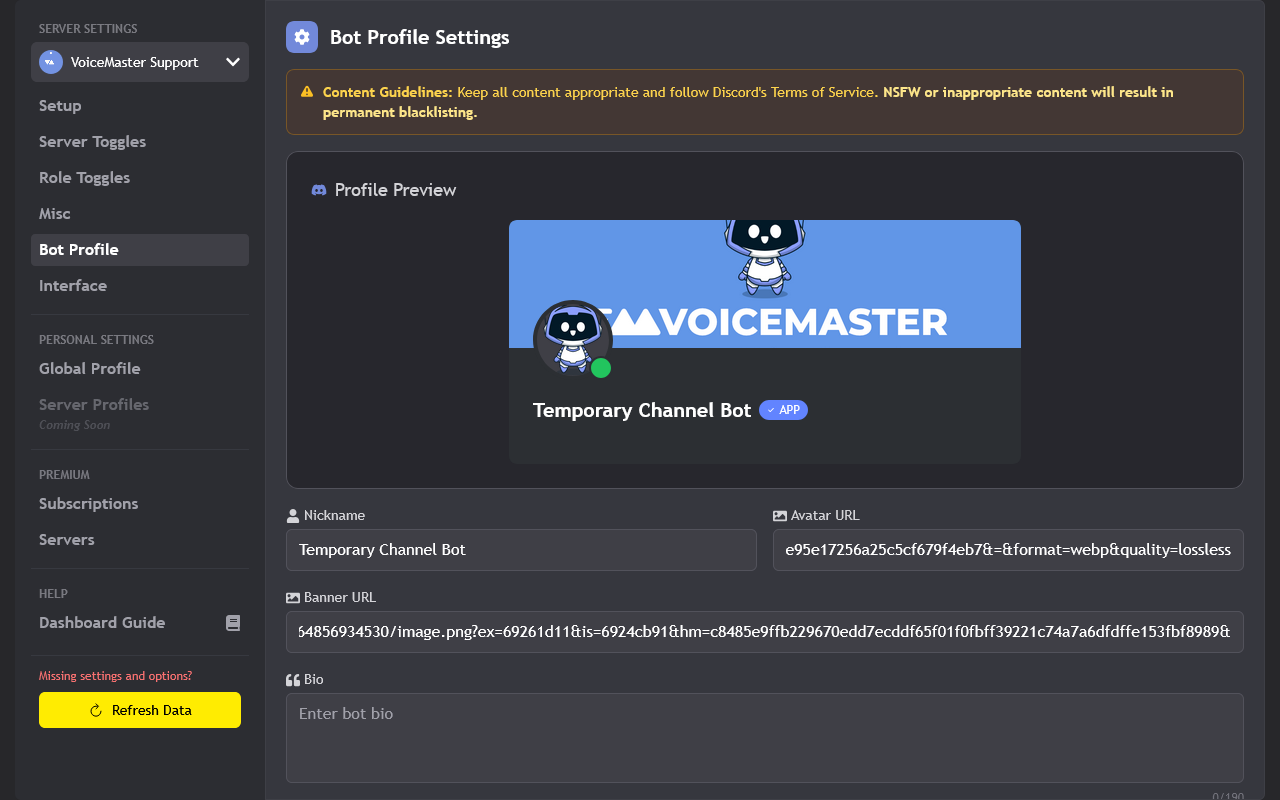
Customize how VoiceMaster looks in your server
Interface Customization
One of the most requested features was being able to customize the interface. Now you can fully customize it - toggle off buttons you don't want, change all the text on the interface, and make it work exactly how you want.
For a complete walkthrough of all dashboard features, check out our Dashboard Guide.
For a complete walkthrough of all dashboard features, check out our Dashboard Guide.
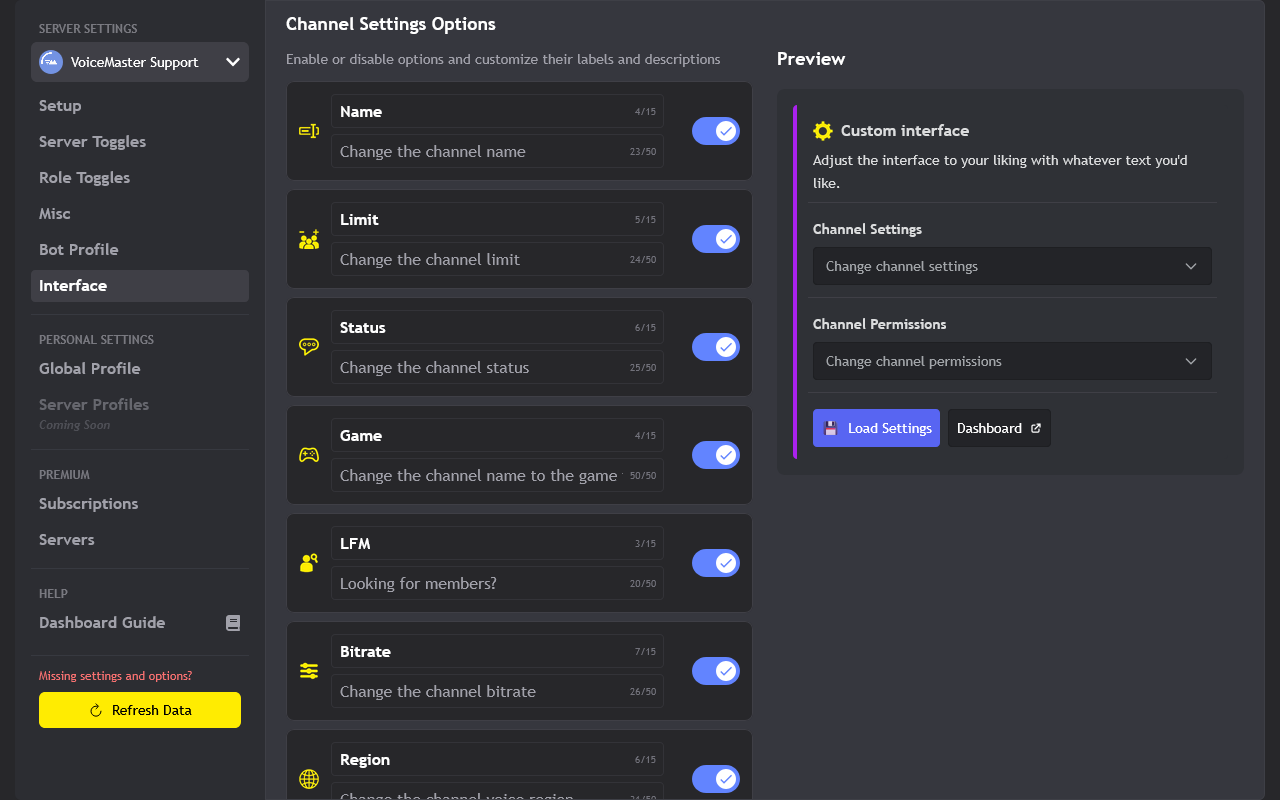
Customize the interface buttons and text to match your preferences
Bot Improvements
The bot itself has gotten a lot of improvements too. Here's what's changed:
No More Admin Required
This is a big one. VoiceMaster no longer requires Admin permissions to work. We've improved the
The bot will tell you exactly what permissions it needs and why, making it much easier to set up securely.
/troubleshoot command to diagnose all permission issues, so you can use the bot without worrying about giving it too much access.The bot will tell you exactly what permissions it needs and why, making it much easier to set up securely.
Multilingual Support
All commands are now translated into multiple languages, including the bot's responses. This makes VoiceMaster much more accessible for non-English speaking communities.
More languages will be added over time, so if your language isn't supported yet, keep an eye out for updates.
More languages will be added over time, so if your language isn't supported yet, keep an eye out for updates.
Better Backend
We've improved a lot of the bot's backend systems. This means:
Better Uptime - The bot stays online more reliably
Faster Responses - Commands respond quicker
More Stable - Fewer errors and crashes
Better Logging - Improved error logs and usage tracking
Better Uptime - The bot stays online more reliably
Faster Responses - Commands respond quicker
More Stable - Fewer errors and crashes
Better Logging - Improved error logs and usage tracking
New Commands
We've added several new commands for you to try:
/voice transfer- Transfer channel ownership to another user/voice region- Change the voice server region for your channel/voice request- Request to join locked channels
Load Settings Button
The interface now has a load settings button that automatically loads all of your channel settings from your profile. No more configuring your channel every single time you create one - just click the button and everything is set up the way you like it.
Better Logging
We've introduced better bot usage logs and error logs. This helps us track down issues faster and improve the bot based on how people actually use it.
Getting Started with 4.0
If you're already using VoiceMaster, everything should work the same way it did before. The bot will automatically update, and your existing settings should carry over.
If you're new to VoiceMaster, check out our Setup Guide to get started.
If you're new to VoiceMaster, check out our Setup Guide to get started.
Exploring the Dashboard
The best way to see what's new is to check out the dashboard. Head over to our dashboard, log in, and click on your profile picture to access the dashboard.
Our Dashboard Guide has detailed information about every feature and how to use it.
Our Dashboard Guide has detailed information about every feature and how to use it.
Trying New Commands
Try out the new commands like
/voice transfer and /voice region. You can see all available commands in our Voice Commands Guide.Setting Up Profiles
If you create voice channels regularly, set up a profile in the dashboard. It'll save you a lot of time since you won't have to configure your channel every time you create one.
What's Planned for the Future
We're not done yet. Here's what we're working on for future updates:
More Per Setup Settings
We're planning to add more settings that you can configure per setup. This includes:
LFM Settings - Configure Looking for Members settings for each setup
Role Settings - More granular role-based controls per setup
New Setup Types - We're working on a new setup type in addition to clone, default, predefined, and sequence
LFM Settings - Configure Looking for Members settings for each setup
Role Settings - More granular role-based controls per setup
New Setup Types - We're working on a new setup type in addition to clone, default, predefined, and sequence
Per Server Profiles
Right now you can create a global profile that applies everywhere. Soon you'll be able to create different profiles for different servers, so you can have different settings for each server you're in.
Storing Permit and Reject Settings
We're working on a way to store your permit and reject settings. This means if you permit or reject someone, those settings will be remembered for future channels you create.
More Variables for Predefined Setups
We're expanding the variables you can use in predefined setups. This will give you even more ways to customize how channel names are generated.
Need Help?
If you run into any issues or have questions about VoiceMaster 4.0, we're here to help.
- Dashboard Guide - Check out our complete dashboard guide for detailed information
- Voice Commands - See all available commands in our voice commands guide
- Setup Help - New to VoiceMaster? Our setup guide will get you started
- Troubleshooting - Having issues? Check our troubleshooting guide
- Support Server - Join our Discord server for real-time help
This guide was last updated on November 24, 2025. For the most current information, please refer to our official documentation and support resources.
Found translation issues or think this guide needs updating? Let us know via our support server.